
The shortcut is a link to the responsive website, not App Store or APK software. This matters for security: SpinRise access does not require unknown-source installation, a configuration profile or permissions beyond those normally used by the browser.
Play at SpinRiseAUD and crypto · 18+ · Terms apply
Visit SpinRiseSpinRise mobile access at a glance
The browser platform replaces the functions usually associated with a native application. Its main technical differences concern installation and updates rather than account capability.
| Feature | Browser platform | Native application |
|---|---|---|
| Installation | Not required | Not available |
| Updates | Applied automatically to the website | Not applicable |
| Performance | Stable responsive interface | Not applicable |
| Entry | Immediate through a mobile browser | Not available |
Using SpinRise on iPhone and iPad
iOS users can load SpinRise in Safari without visiting the App Store. The account uses the same email, password and balance as a computer session, and a shortcut can reduce the number of steps needed to return.
- Open the known SpinRise address in Safari.
- Allow the mobile lobby to finish loading.
- Use Safari’s Share control.
- Select the action for adding the website to the home screen.
- Review the displayed shortcut name and add it.
- Open the icon once and ensure it returns to the expected domain.
The icon does not install a binary or provide offline use. Clearing Safari data may end the saved session, while removing the icon does not delete the casino account.
Android access and home-screen setup
Chrome provides the main Android browser route. No APK is needed, and the phone’s unknown-app setting should remain disabled.
- Enter SpinRise in Chrome through the known web address.
- Open Chrome’s menu after the lobby appears.
- Choose the home-screen shortcut option.
- Approve its label and placement.
- Test the icon before saving account credentials.
Android menu wording can vary by browser and operating-system version. A bookmark provides the same account access if a home-screen icon is unnecessary.
Games and features available on mobile
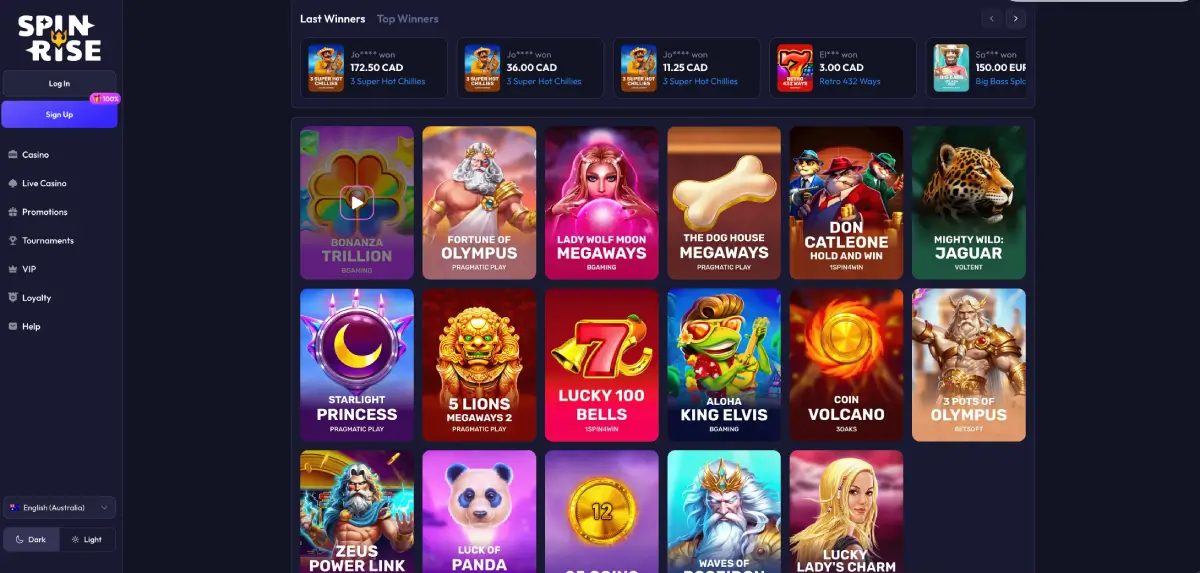
The responsive lobby retains the main gambling and account sections rather than offering a reduced mobile catalogue.
- Pokies: titles from providers including Pragmatic Play, NetEnt, Microgaming, BGaming and Betsoft.
- Live casino: streamed tables and game shows, including Evolution content.
- Game categories: top titles, new games, jackpot routes and RTP-themed browsing.
- Promotions: welcome stages, free-spin campaigns, recurring offers and loyalty progression.
- Account: login, profile settings and verification access.
- Cashier: supported deposits and withdrawal-request tools.
Portrait mode is useful for navigation and account forms, while landscape can give streamed tables and wider games more room. Closing unused tabs helps an older device reserve memory for live video. A stable private connection is particularly useful for dealer-led rounds because the table does not pause for a local interruption.
The SpinRise pokies guide covers game-selection factors, while the live casino page explains table pace and streamed formats.
Mobile login and account security
The SpinRise login uses the same email and password on mobile and desktop, with reCAPTCHA available as an account check. No separate mobile profile or balance is created.
- Use a password not shared with email or another casino.
- Enter through a saved, verified shortcut rather than an unsolicited link.
- Avoid public Wi-Fi for credentials, payments and document uploads.
- Protect the phone with a screen lock.
- Sign out through the account menu on shared hardware.
- Do not save the password in another person’s browser profile.
A saved browser session can expose the balance to anyone holding an unlocked phone. Device biometrics improve local protection but do not replace logging out when the handset is borrowed or shared.
Deposits and withdrawals from a phone
Mobile access includes the cashier, with AUD, other fiat currencies and cryptocurrency support. Method direction and processing characteristics remain the same as on desktop.
| Payment route | Type | Mobile account note |
|---|---|---|
| Visa or Mastercard | Fiat | Instant deposit and slower withdrawal handling |
| Apple Pay or Google Pay | Fiat | Listed as instant |
| Skrill or Neteller | E-wallet | Listed in the fast group |
| Bank transfer | Fiat | Slower processing |
| Bitcoin or Ethereum | Crypto | Fastest stated withdrawal group |
| Neosurf | Prepaid | Deposit only |
The approximate minimum deposit is A$10 and the approximate minimum payout request is A$20, subject to the selected cashier route. Verification can precede withdrawal approval. On a phone, take extra care when copying a crypto address: compare the visible beginning and end, and match the network before authorising the transfer.
Fake SpinRise APK and app warnings
An APK offered under the SpinRise name is not required for the supported browser route. Installing an unrecognised package can expose credentials, intercept messages or request unnecessary device permissions.
| Safe browser behaviour | Warning sign |
|---|---|
| Website opens in Safari or Chrome | A file downloads before login |
| Shortcut is created from browser controls | Instructions request unknown-source installation |
| No device-management profile is needed | An iPhone profile or certificate must be approved |
| Updates appear on the next page load | A message demands a manual casino update |
| Normal browser permissions apply | The package requests contacts, texts or accessibility control |
If credentials were entered into a suspicious app or page, secure the registered email, reset the casino password and contact SpinRise support about unfamiliar account or cashier activity.
Browser access versus an installed app
The web model avoids storage use, store-region rules and manual updates. Its trade-off is that the player must identify the correct domain and maintain browser security.
- No download occupies phone storage.
- New website changes arrive automatically.
- The same account works across phone, tablet and computer.
- Live streaming still depends on connection quality and device resources.
- An imitation website remains a phishing risk even without an APK.
For users wanting the look of an app icon, the browser shortcut is sufficient. Anyone requiring a verified native listing will not find one and should not substitute software from a file-sharing page.
Mobile checklist for Australian players
Before funding the account from a phone, complete these checks:
- Ensure the address and saved shortcut are correct.
- Review the Curaçao licence and lack of Australian authorisation.
- Confirm AUD and personal registration details.
- Set deposit, loss and time limits.
- Identify a suitable withdrawal route.
- Read any active bonus conditions in full.
- Keep payment and support references.
The main SpinRise Casino overview provides the broader regulation and payment assessment. Mobile convenience does not change those underlying terms.
SpinRise holds a Curaçao licence but no Australian licence and does not participate in BetStop. Browser access is restricted to adults aged 18 and over. A phone can make repeated sessions easier to start, so set time and payment limits before creating a shortcut. The responsible gambling guide and Gambling Help Online provide confidential Australian support.
SpinRise Casino app FAQ
These answers cover downloads, device access, mobile account tools and security.
Is there a native SpinRise Casino app?
No. SpinRise uses a responsive mobile website and does not provide a native application in the supported setup.
Can SpinRise run on an iPhone?
Yes. Safari can open the full platform and create a home-screen shortcut without an App Store download.
How does SpinRise work on Android?
Open the casino in Chrome, then use the browser menu to create an optional shortcut. An APK is unnecessary.
Are pokies and live games available on mobile?
Yes. Pokies, streamed casino tables, jackpots, promotions and account functions remain accessible through the responsive browser layout.
Can payments be managed on a phone?
Yes. The cashier supports the listed card, mobile wallet, e-wallet, bank, crypto and prepaid routes with their normal direction and account conditions.
Does the mobile version need manual updates?
No. Website updates apply automatically. Keeping the browser and phone operating system current still supports compatibility and security.
Should a SpinRise APK be installed?
No supported APK is required. Do not weaken Android installation controls or approve a file from an unrecognised source.
Is the mobile account separate from desktop?
No. The same login, balance, bonus status and profile apply across supported browsers and device sizes.
Note. SpinRise holds a Curaçao licence, is not licensed in Australia and is not covered by BetStop. Offers and limits can change; the casino's terms apply. 18+.